How to Build a Custom 'Product Subscription' Module with Flexible Delivery Intervals in Magento 2
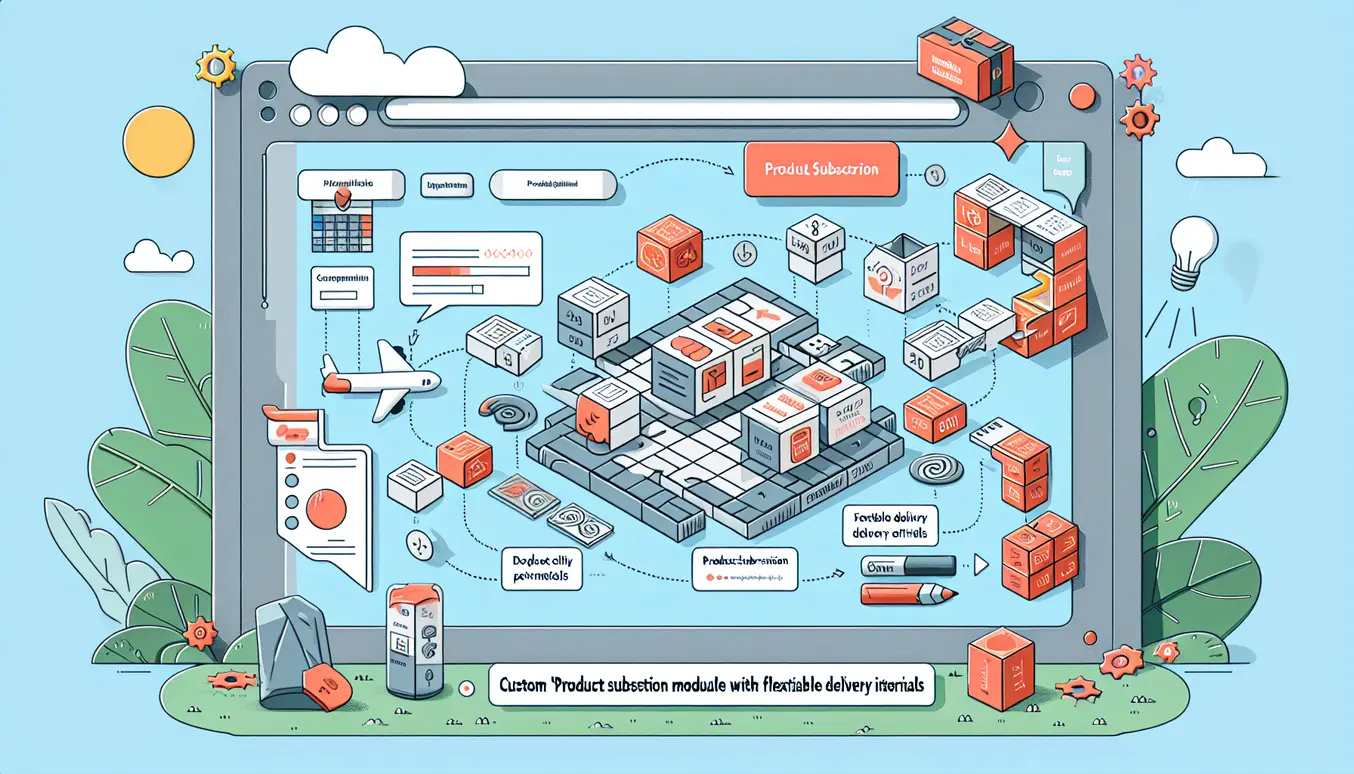
Intro: What we’ll build and why
In this post I’ll walk you through building a custom "Product Subscription" module for Magento 2 that supports flexible delivery intervals. Think weekly, bi-weekly, monthly, or any custom frequency merchants want to offer. I’ll keep the tone relaxed — like I’m sitting next to you debugging your first module — but I’ll be precise and include concrete code snippets and file examples so you can copy-paste and adapt.
This guide focuses on a pragmatic architecture you can extend: DB entities for subscriptions and intervals, changes to checkout and recurring payment flow, an admin UI so merchants configure subscription options, webhook handling for payment providers, and testing & deployment advice to keep production stable.
High-level architecture
Before we write code, here’s the shape of the solution:
- Database: tables to store subscriptions, subscription_items (products in subscription), and delivery_intervals. Keep intervals normalized so you can reuse them across subscriptions.
- Domain layer: Models, ResourceModels, Repositories, and services to manage subscription lifecycle (create, pause, renew, cancel).
- Checkout: Store subscription choices in quote items and propagate to order items. Add a payment-token approach or leverage payment provider recurring APIs.
- Cron jobs: Create recurring orders by scanning active subscriptions whose next_renewal_date is due.
- Admin UI: Grids and forms for merchants to manage subscriptions and intervals.
- Webhooks & Notifications: Handle payment provider webhooks for success/failure, and notify customers & admins.
Module skeleton and registration
Create a module Vendor_Subscription. Basic files:
// app/code/Vendor/Subscription/registration.php
<?php
use Magento\Framework\Component\ComponentRegistrar;
ComponentRegistrar::register(
    ComponentRegistrar::MODULE,
    'Vendor_Subscription',
    __DIR__
);

// app/code/Vendor/Subscription/etc/module.xml
<?xml version="1.0"?>
<config xmlns:xsi="http://www.w3.org/2001/XMLSchema-instance" xsi:noNamespaceSchemaLocation="urn:magento:framework:Module/etc/module.xsd">
    <module name="Vendor_Subscription" setup_version="1.0.0" />
</config>
Database design (architecture technique)
We want a simple, normalized schema that lets us store subscriptions, items within a subscription, and predefined intervals. Use db_schema.xml (declarative schema) to keep things clean.
<schema xmlns:xsi="http://www.w3.org/2001/XMLSchema-instance" xsi:noNamespaceSchemaLocation="urn:magento:framework:Setup/Declaration/Schema/etc/schema.xsd">
    <table name="vendor_subscription" resource="default" engine="innodb" comment="Subscriptions">
        <column xsi:type="int" name="subscription_id" nullable="false" identity="true" unsigned="true" />
        <column xsi:type="int" name="customer_id" nullable="false" unsigned="true" />
        <column xsi:type="varchar" name="status" nullable="false" length="32" />
        <column xsi:type="datetime" name="start_date" nullable="false" />
        <column xsi:type="datetime" name="next_renewal_date" nullable="true" />
        <column xsi:type="int" name="interval_id" nullable="false" unsigned="true" />
        <column xsi:type="text" name="meta" nullable="true" />
        <constraint xsi:type="primary" referenceId="PRIMARY">
            <column name="subscription_id" />
        </constraint>
        <constraint xsi:type="foreign" referenceId="VENDOR_SUBSCRIPTION_INTERVAL_ID_DELIVERY_INTERVAL_INTERVAL_ID" table="vendor_subscription" column="interval_id" referenceTable="vendor_delivery_interval" referenceColumn="interval_id" onDelete="CASCADE" />
    </table>

    <table name="vendor_subscription_item" resource="default" engine="innodb" comment="Subscription Items">
        <column xsi:type="int" name="item_id" nullable="false" identity="true" unsigned="true" />
        <column xsi:type="int" name="subscription_id" nullable="false" unsigned="true" />
        <column xsi:type="int" name="product_id" nullable="false" unsigned="true" />
        <column xsi:type="decimal" name="price" precision="12" scale="4" nullable="false" />
        <column xsi:type="int" name="qty" nullable="false" default="1" />
        <constraint xsi:type="primary" referenceId="PRIMARY">
            <column name="item_id" />
        </constraint>
        <constraint xsi:type="foreign" referenceId="VENDOR_SUBSCRIPTION_ITEM_SUBSCRIPTION_ID_SUBSCRIPTION_SUBSCRIPTION_ID" table="vendor_subscription_item" column="subscription_id" referenceTable="vendor_subscription" referenceColumn="subscription_id" onDelete="CASCADE" />
    </table>

    <table name="vendor_delivery_interval" resource="default" engine="innodb" comment="Delivery Intervals">
        <column xsi:type="int" name="interval_id" nullable="false" identity="true" unsigned="true" />
        <column xsi:type="varchar" name="code" length="64" nullable="false" />
        <column xsi:type="int" name="unit" nullable="false" unsigned="true" />
        <column xsi:type="int" name="value" nullable="false" unsigned="true" />
        <column xsi:type="varchar" name="label" length="255" nullable="false" />
        <constraint xsi:type="primary" referenceId="PRIMARY">
            <column name="interval_id" />
        </constraint>
    </table>
</schema>
Design notes:
- Store interval as unit & value so you can compute next dates easily. You can also store cron-like expressions if you want absolute control.
- meta JSON in vendor_subscription stores payment token, shipping method, coupon, or any custom rule for that subscription.
Models, ResourceModels, Repositories
Follow Magento's service contract pattern. Example for Subscription model and repository (abbreviated).
// app/code/Vendor/Subscription/Model/Subscription.php
namespace Vendor\Subscription\Model;

use Magento\Framework\Model\AbstractModel;

class Subscription extends AbstractModel
{
    protected function _construct()
    {
        $this->_init(ResourceModel\Subscription::class);
    }
}

// app/code/Vendor/Subscription/Model/ResourceModel/Subscription.php
namespace Vendor\Subscription\Model\ResourceModel;

use Magento\Framework\Model\ResourceModel\Db\AbstractDb;

class Subscription extends AbstractDb
{
    protected function _construct()
    {
        $this->_init('vendor_subscription', 'subscription_id');
    }
}

// create API interfaces in Api/ folder (SubscriptionRepositoryInterface etc) and implement them.
Implement repositories to provide a clean API to other modules and cron jobs. Example method signatures:
- getById($id)
- save(SubscriptionInterface $subscription)
- getList(SearchCriteria $searchCriteria)
- getDueSubscriptions( \DateTimeInterface $cutoff ) — helper for cron to find subscriptions whose next_renewal_date <= cutoff
Calculating next_renewal_date (interval logic)
A small utility helps compute next dates from an interval record. Keep it isolated so tests are easy.
// app/code/Vendor/Subscription/Model/NextDateCalculator.php
public function calculateNext("\DateTimeInterface $from, array $interval): \DateTime
{
    $date = new \DateTime($from->format('Y-m-d H:i:s'));
    switch ($interval['unit']) {
        case 1: // days
            $date->modify('+' . $interval['value'] . ' days');
            break;
        case 2: // weeks
            $date->modify('+' . ($interval['value'] * 7) . ' days');
            break;
        case 3: // months
            $date->modify('+' . $interval['value'] . ' months');
            break;
        default:
            throw new \InvalidArgumentException('Unknown interval unit');
    }
    return $date;
}
Integrating with Magento orders and checkout
We need to ensure subscription metadata is carried from product selection to quote item and into the order. Two key pieces:
- Frontend: product page or cart UI to allow customer to choose subscription frequency (or the merchant can limit to a product-level default).
- Backend: save subscription flags in quote_item.additional_data or extension attributes, convert to order_item at place order.
Frontend: adding subscription options
Approach: add a product attribute is_subscribable to allow merchant control. When enabled, render a small subscription selector component on product page that posts subscription choice to cart as custom option or via AJAX. Simpler route: add a hidden input to add-to-cart form with JSON payload.
<!-- in catalog_product_view layout or phtml -->
<div class="product-subscription">
  <label>Subscribe every:</label>
  <select name="subscription_interval">
    <option value="">One-time purchase</option>
    <option value="1:7">Weekly</option> <!-- unit:value e.g. unit=2 weeks -> 2:1? choose a pattern -->
    <option value="3:1">Monthly</option>
  </select>
<input type="hidden" name="is_subscription" value="1" />
</div>
In the observer for checkout_cart_product_add_after, read request params and set quote item option:
// app/code/Vendor/Subscription/Observer/AddSubscriptionOptionToQuote.php
public function execute(EventObserver $observer)
{
    $quoteItem = $observer->getEvent()->getData('quote_item');
    $request = $this->request->getParam('subscription_interval');
    if ($request) {
        // store 'subscription' info in buyRequest additional options
        $additionalOptions = [
            ['label' => 'Subscription', 'value' => $request]
        ];
        $quoteItem->addOption([
            'code' => 'additional_options',
            'value' => json_encode($additionalOptions)
        ]);
        // also add an extension attribute to be safely passed to order
        $quoteItem->setData('is_subscription', 1);
        $quoteItem->setData('subscription_interval', $request);
    }
}
Propagate to order and create subscription entity
Use sales_model_service_quote_submit_before or observer on order place to read quote items and when an item has subscription metadata, create subscription rows in DB and attach meta (payment method token, shipping, etc.). Example observer:
// app/code/Vendor/Subscription/Observer/CreateSubscriptionOnOrder.php
public function execute(EventObserver $observer)
{
    $order = $observer->getOrder();
    $quote = $observer->getQuote();
    foreach ($quote->getAllItems() as $quoteItem) {
        if ($quoteItem->getData('is_subscription')) {
            // build subscription object
            $subscription = $this->subscriptionFactory->create();
            $subscription->setCustomerId($quote->getCustomerId());
            $subscription->setStartDate($order->getCreatedAt());
            $interval = $this->parseIntervalValue($quoteItem->getData('subscription_interval'));
            $subscription->setIntervalId($intervalId); // map or create interval
            $subscription->setNextRenewalDate($this->nextDateCalc->calculateNext(new \DateTime($order->getCreatedAt()), $interval));
            $subscription->setStatus('active');
            $subscription->setMeta(json_encode([
                'order_id' => $order->getId(),
                'order_item_id' => $quoteItem->getItemId(),
                'product_id' => $quoteItem->getProductId(),
                'price' => $quoteItem->getPrice(),
                'qty' => $quoteItem->getQty()
            ]));
            $this->subscriptionRepository->save($subscription);
        }
    }
}
Notes:
- Associate the subscription with the order so you can support first delivery on that order and future recurring orders.
- Store payment token in meta if the payment method supports it; otherwise plan on using webhooks or manual renewal.
Recurring order creation (cron and scheduled tasks)
Magento cron will scan due subscriptions and create new orders. Important: create orders using the quote service so totals/taxes/shipping are correctly calculated, or reuse saved order information while validating current prices.
// app/code/Vendor/Subscription/etc/crontab.xml
<config xmlns:xsi="http://www.w3.org/2001/XMLSchema-instance" xsi:noNamespaceSchemaLocation="urn:magento:framework:Module/etc/crontab.xsd">
    <group id="default">
        <job name="vendor_subscription_cron_create_recurring" instance="Vendor\Subscription\Cron\CreateRecurringOrders" method="execute">
            <schedule>*/15 * * * *subscriptionRepository->getDueSubscriptions($now);
    foreach ($due as $subscription) {
        try {
            // 1) load customer & build new quote
            $quote = $this->quoteFactory->create();
            $quote->setStore($this->storeManager->getStore($subscription->getStoreId()));
            $quote->assignCustomer($this->customerRepository->getById($subscription->getCustomerId()));

            // 2) add items (we stored product_id and qty in meta)
            $meta = json_decode($subscription->getMeta(), true);
            foreach ($meta['items'] as $itemData) {
                $product = $this->productRepository->getById($itemData['product_id']);
                $quote->addProduct($product, (float)$itemData['qty']);
            }

            // 3) set shipping address/payment method copied from meta
            // 4) collect totals and place order
            $quote->collectTotals();
            $order = $this->quoteManagement->submit($quote);

            // 5) update subscription next date and optionally log renewal
            $next = $this->nextDateCalc->calculateNext(new \DateTime($subscription->getNextRenewalDate()), $this->intervalRepository->getById($subscription->getIntervalId())->getData());
            $subscription->setNextRenewalDate($next->format('Y-m-d H:i:s'));
            $this->subscriptionRepository->save($subscription);

        } catch (\Exception $e) {
            // Log failure and notify merchant
            $this->logger->error('Failed to create recurring order for subscription ' . $subscription->getId() . ' - ' . $e->getMessage());
            $this->notifyAdminOnFailure($subscription, $e);
        }
    }
}
Important details:
- When creating orders programmatically, ensure customer addresses are present and shipping methods are still valid. If a shipping method disappears, fail gracefully and notify the merchant/customer.
- Respect inventory: if product is out of stock, you must decide to skip, notify, or backorder based on merchant settings stored in subscription meta.
Payment integration & handling recurring payments
Two common patterns:
- Tokenization: Use payment provider token (e.g., Stripe, Braintree) to charge the customer on schedule. Requires saving a payment token and using provider API from cron when creating order, or authorizing via Recurring API.
- Session-based invoice: Create a pending order and notify customer to pay (less ideal).
For tokens, store a masked token and provider identifier in subscription.meta securely. Do not store raw card data.
Example: token flow
1) During checkout first order, if payment provider supports tokenization, request a token and store token_id in subscription.meta (preferably encrypted via Magento's encryption service). 2) When cron creates the quote/order, call the provider's API to authorize or capture payment using that token. 3) Record provider response and update subscription status on repeated failures.
// conceptual snippet when placing recurring order
$paymentProvider->chargeToken($subscription->getMeta()['payment_token'], $amount);
if ($providerResponse->isSuccess()) {
    // place order
} else {
    // handle retry rules or pause subscription
}
Retry and failure rules are key: implement exponential backoff (e.g., retry 3 times over 3 days), then pause subscription and send email to customer and merchant.
Admin interface: make merchant life easy
Merchants need to manage intervals, subscriptions, and see upcoming renewals. Use UI components (grids & forms) and ACL rules.
Admin grid for subscriptions
Create a UI component grid at admin route vendor_subscription/subscription/index. Provide columns: subscription_id, customer_email, status, start_date, next_renewal_date, actions.
<listing xmlns:xsi="http://www.w3.org/2001/XMLSchema-instance" xsi:noNamespaceSchemaLocation="urn:magento:module:Magento_Ui:etc/ui_configuration.xsd">
    <columns name="vendor_subscription_columns">
        <column name="subscription_id" class="Magento\Ui\Component\Listing\Columns\Text"/>
        <column name="customer_email"/>
        <column name="status"/>
        <column name="start_date"/>
        <column name="next_renewal_date"/>
        <actionsColumn name="actions"/>
    </columns>
</listing>
Form to edit subscription
Provide a form where merchants can change interval, status (pause/cancel), manual renewal, and view payment token status. For interval selection, load available intervals with labels. If merchants change interval, recalc next_renewal_date accordingly.
Webhooks and notifications
Proper webhook handling is critical. Two types of webhooks:
- Payment provider webhooks (payment succeeded, failed, chargeback).
- Platform-triggered events: subscription canceled by merchant/customer, manual renewals, or plan changes.
Implement webhook endpoints
Create a secure endpoint to receive payment provider events. Verify signature/secret as per provider docs. Map the event to a subscription (use provider metadata stored on subscription.meta) and update status accordingly.
// app/code/Vendor/Subscription/Controller/Endpoint/Webhook.php
public function execute()
{
    $payload = file_get_contents('php://input');
    $signature = $this->request->getHeader('X-Signature');

    if (!$this->verifySignature($payload, $signature)) {
        return $this->resultFactory->create(ResultFactory::TYPE_RAW)->setHttpResponseCode(401)->setContents('Invalid signature');
    }

    $event = json_decode($payload, true);
    $token = $event['data']['object']['token_id'] ?? null;
    if ($token) {
        $subscription = $this->subscriptionRepository->getByPaymentToken($token);
        if ($event['type'] === 'charge.succeeded') {
            $this->handleSuccess($subscription, $event);
        }
        if ($event['type'] === 'charge.failed') {
            $this->handleFailure($subscription, $event);
        }
    }
    return $this->resultFactory->create(ResultFactory::TYPE_RAW)->setContents('ok');
}
Notifications
Use Magento's email templates for customers and system emails for merchants. For critical issues (e.g., repeated payment failures), create an admin notification in the backend using Magento\Backend\Model\Notification or log entries and attach to the subscription record.
Testing and deployment
Testing a subscription system is where you'll save your reputation. Follow layered testing and a careful deployment strategy.
Unit & Integration tests
- Unit tests: Test interval calculation, subscription lifecycle methods, repository behavior with mocked resources.
- Integration tests: Use Magento integration testing to validate DB schema, observers, cron behavior. Test creation of subscription on order placement. Validate that a cron run creates the expected order given a prepared subscription row.
- Functional tests (MFTF): Simulate a user subscribing to a product, completing checkout, and ensure subscription row created and next_renewal_date correct.
Test scenarios to cover
- Standard flow: customer subscribes and first renewal order created on schedule.
- Payment failure: provider denies charge, subscription retries, then pauses and notifies.
- Product out-of-stock at renewal: warn, backorder, or skip based on merchant setting.
- Change interval mid-subscription: next_renewal_date recalculated correctly.
- Cancel: immediate cancel vs end-of-term cancel.
Deployment checklist
- Run setup:upgrade to apply db_schema changes.
- Run setup:di:compile and setup:static-content:deploy in production mode.
- Ensure cron is configured and running (cron:run every minute recommended).
- Set up secure webhook URL with HTTPS and update payment provider settings.
- Backups: take DB backup pre-release and prepare rollback plan.
- Monitor logs and set up alerts for failures during first week after launch.
Security and privacy considerations
Never store raw card details. Use PCI-DSS compliant tokenization provided by payment gateways. Encrypt any sensitive token stored in the meta column using Magento\Framework\Encryption\EncryptorInterface. Limit admin ACL to only users who need subscription management rights.
Operational tips and scale concerns
When subscriptions grow to thousands/day, cron design matters:
- Batch processing: fetch subscriptions in small batches (e.g., 100 per run) to avoid timeouts.
- Queue-based processing: push each renewal job to a message queue (RabbitMQ) and process with workers.
- Idempotency: make recurring order creation idempotent — if cron fails mid-way, re-run should not produce duplicate orders. Use a locking mechanism on subscription rows (e.g., set a processing flag with timestamp) to avoid double-processing.
Example: End-to-end flow (concise step-by-step)
- Merchant enables
is_subscribableattribute on product and configures intervals in admin. - Customer picks subscription option on product page and checks out; the observer marks quote items as subscription and stores interval code.
- On order placement, we create a vendor_subscription row with meta including order id, product ids, qty, payment token.
- Cron runs on schedule; it finds subscriptions where next_renewal_date <= now and not locked; it locks row, creates a quote, re-adds items, sets shipping/payment, charges via token, submits order, updates next_renewal_date, unlocks row.
- If payment fails: cron records the attempt, schedules retries, and sends emails. After configured thresholds, subscription is paused and merchant is notified.
Code patterns & best practices
- Use repositories and service contracts in your public API to keep code testable and maintainable.
- Isolate external API calls (payment provider) in a gateway client class so you can mock in tests and replace providers easily.
- Keep long-running processes outside of web requests; use cron and queues.
- Log carefully: debug logs for development and warning/error logs for production. Avoid leaking sensitive data into logs.
Monitoring and observability
Expose metrics for subscription success/failure rates, churn (cancellations), and upcoming renewals. Set up alerts for spikes in payment failures. You can push metrics to Datadog/Prometheus using lightweight emitters in your cron job.
Real-world considerations and optional features
- Proration: If a customer changes interval frequency mid-cycle, decide how to prorate amounts.
- Trial periods and introductory prices: store trial_end_date and apply pricing rules when creating recurring orders.
- Multi-product subscriptions: handle bundles by storing multiple items in subscription meta and supporting combined next_renewal logic.
- Pause/resume flows in the admin and customer account area.
Wrapping up
Building a robust subscription module in Magento 2 is a non-trivial task, but by splitting it into clear pieces — DB schema, checkout integration, cron-driven renewals, payment tokenization, admin UI, and webhooks — you can ship an MVP quickly and iterate safely. Keep logic well-tested, isolate external dependencies, and watch your cron jobs closely when you first go live.
If you’re working on this for a production store hosted or extended by Magefine, aim to follow Magefine’s hosting best practices: ensure cron reliability, backups, and a secure webhook endpoint. If you want, I can provide a repository skeleton, more detailed integrations for a specific payment provider (Stripe or Braintree), or an example admin UI package you can install.
Useful references and next steps
- Magento devdocs: creating modules, db_schema, UI components, cron and observers.
- Payment gateway docs: tokenization and webhooks for your chosen provider.
- Set up integration tests for subscription flows before enabling on production stores.
Want the sample module skeleton (full files) for Vendor_Subscription so you can fork and adapt? Tell me what payment provider you plan to use (Stripe, Braintree, Adyen, Authorize.net) and I’ll produce a ready-to-install example with token handling and webhook verification.
Happy hacking — and ping me if you get stuck on interval math or cron locking.