
Comment créer un module de demande de réapprovisionnement personnalisé pour Magento 2
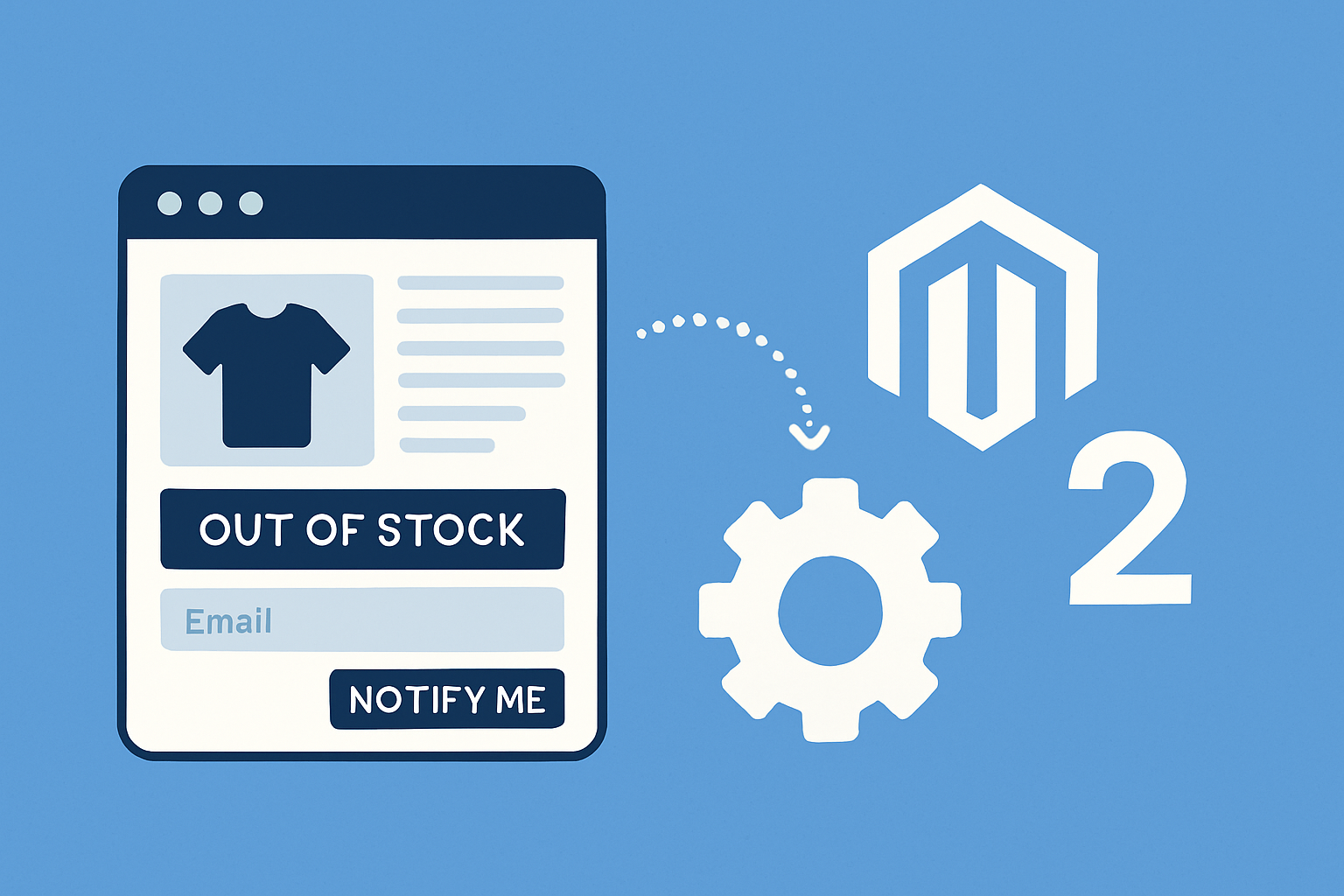
Want to add a "Restock Request" fonctionnalité to your Magento 2 store so clients can sign up for notifications when an out-of-stock product returns? In this post I’ll walk you through building a custom Magento 2 module that: captures client interest, watches stock changes using the Observer pattern, sends automatic e-mails when items are back in stock, exposes an admin UI to manage requests and thresholds, improves SEO for out-of-stock products, and vous aide à measure ROI from these notifications. I’ll be practical and show étape-by-étape code exemples, fichier structure, and suggestions for tracking conversions — like I’m showing a colleague how I’d ship this in a real project.
Why build a custom restock request module?
Several extensions exist but making your own has avantages: you control behavior, integrate with your exact notification flux de travail, and keep your site lightweight. Also, you can tailor the admin UX to your merchandising and rapporting needs. The core goals are simple:
- Let clients sign up for notifications when an item is out of stock.
- Monitor stock changes (observateur pattern) and trigger an e-mail when qty moves above a threshold.
- Provide a concise admin interface to view and manage requests and set thresholds.
- Optimize SEO and structured data for page produits that are out of stock.
- Allow ROI tracking: identify commandes that originated from restock notifications.
High-level architecture
We’ll keep the architecture modular and aligned with Magento 2 bonnes pratiques. At a glance:
- Module: Magefine_RestockRequest
- DB: declarative schema (db_schema.xml) for a restock_request table
- Frontend: small form on page produits to submit e-mail + product ID
- Observer: listens to stock item save events and triggers notifications
- Emails: templates with TransportBuilder
- Admin: system configuration and an grille d'administration UI composant
- Tracking: UTM paramètres in e-mails and optional commande link between restock request and commande
File structure
Here’s a minimal fichier structure to start with.
app/code/Magefine/RestockRequest/
├── etc
│   ├── module.xml
│   ├── db_schema.xml
│   ├── frontend
│   │   └── routes.xml
│   ├── adminhtml
│   │   └── routes.xml
│   ├── events.xml
│   ├── e-mail_templates.xml
│   └── config.xml (or system.xml for admin settings)
├── registration.php
├── composer.json
├── Controller
│   └── Index
│       └── Submit.php
├── Model
│   ├── Request.php
│   ├── ResourceModel
│   │   └── Request.php
│   │   └── Request/Collection.php
├── Observer
│   └── StockChangeObserver.php
├── view
│   └── frontend
│       └── templates
│           └── restock_form.phtml
│   └── adminhtml
│       └── layout
│           └── ... (grid ui composants)
└── etc
    └── e-mail_templates.xml
Step 1 — basic module registration
Create registration.php and module.xml.
<?php
use Magento\Framework\Component\ComponentRegistrar;
ComponentRegistrar::register(
    ComponentRegistrar::MODULE,
    'Magefine_RestockRequest',
    __DIR__
);
<?xml version="1.0"?>
<config xmlns:xsi="http://www.w3.org/2001/XMLSchema-instance" xsi:noNamespaceSchemaLocation="urn:magento:framework:Module/etc/module.xsd">
    <module name="Magefine_RestockRequest" setup_version="1.0.0"/>
</config>
Step 2 — schéma de base de données (declarative)
Create db_schema.xml to store requests. We’ll use a simple table to track e-mail, product_id, website_id, notified flag, created_at and token for tracking.
<?xml version="1.0"?>
<schema xmlns:xsi="http://www.w3.org/2001/XMLSchema-instance" xsi:noNamespaceSchemaLocation="urn:magento:framework:Setup/Declaration/Schema/etc/schema.xsd">
    <table name="magefine_restock_request" resource="default" engine="innodb" comment="Restock Requests">
        <colonne xsi:type="int" name="request_id" padding="10" unsigned="true" nullable="false" identity="true" comment="Request ID" />
        <colonne xsi:type="int" name="product_id" nullable="false" unsigned="true" comment="Product ID" />
        <colonne xsi:type="varchar" name="e-mail" nullable="false" length="255" comment="Customer e-mail" />
        <colonne xsi:type="int" name="website_id" nullable="false" unsigned="true" default="0" comment="Website ID" />
        <colonne xsi:type="smallint" name="notified" nullable="false" default="0" comment="Has been notified" />
        <colonne xsi:type="timestamp" name="created_at" nullable="false" default="CURRENT_TIMESTAMP" on_update="false" comment="Created At" />
        <colonne xsi:type="varchar" name="token" nullable="false" length="64" comment="Tracking token" />
        <constraint xsi:type="primary" referenceId="PRIMARY">
            <colonne name="request_id"/>
        </constraint>
        <index referenceId="MAGEFINE_RESTOCK_REQUEST_PRODUCT_ID" indexType="btree" >
            <colonne name="product_id"/>
        </index>
        <index referenceId="MAGEFINE_RESTOCK_REQUEST_EMAIL" indexType="btree" >
            <colonne name="e-mail"/>
        </index>
    </table>
</schema>
Run bin/magento setup:mise à jour after adding the fichier to create the table.
Step 3 — frontend form to collect interest
Add a small form on page produits that posts to a contrôleur. Keep it minimal to reduce friction: e-mail + hidden product_id.
<!-- view/frontend/templates/restock_form.phtml -->
<?php /** @var $block \Magento\Framework\View\Element\Template */ ?>
<?php $url = $block->getUrl('restockrequest/index/submit'); ?>
<form id="restock-request-form" action="<?= $url ?>" méthode="post" data-role="restock-request">
    <input type="hidden" name="product_id" valeur="<?= $block->escapeHtml($_product->getId()) ?>" />
    <input type="e-mail" name="e-mail" placeholder="Enter your e-mail to be notified" required/ >
    <button type="submit" class="action primary">Notify me</button>
</form>
To render the block in catalog_product_view.xml layout, declare a block.
<classe de bloc="Magento\Framework\View\Element\Template" name="magefine.restock.form" template="Magefine_RestockRequest::restock_form.phtml" after="product.info.addtocart"/>
Submit contrôleur
Handle the form in Controller/Index/Submit.php. Validate e-mail and save the request. Add a generated token for tracking and to link back to commandes later.
<?php
namespace Magefine\RestockRequest\Controller\Index;

use Magento\Framework\App\Action\Action;
use Magento\Framework\App\Action\Context;
use Magefine\RestockRequest\Model\RequestFactory;
use Magento\Customer\Model\Session as CustomerSession;
use Magento\Store\Model\StoreManagerInterface;

class Submit extends Action
{
    protected $requestFactory;
    protected $clientSession;
    protected $storeManager;

    public fonction __construct(
        Context $context,
        RequestFactory $requestFactory,
        CustomerSession $clientSession,
        StoreManagerInterface $storeManager
    ) {
        parent::__construct($context);
        $this->requestFactory = $requestFactory;
        $this->clientSession = $clientSession;
        $this->storeManager = $storeManager;
    }

    public fonction execute()
    {
        $post = $this->getRequest()->getPostValue();
        if (!isset($post['e-mail']) || !filtre_var($post['e-mail'], FILTER_VALIDATE_EMAIL)) {
            $this->messageManager->addErrorMessage(__('Please enter a valid e-mail.'));
            return $this->_redirect($this->_redirect->getRefererUrl());
        }

        $productId = (int)($post['product_id'] ?? 0);
        if (!$productId) {
            $this->messageManager->addErrorMessage(__('Invalid product.'));
            return $this->_redirect($this->_redirect->getRefererUrl());
        }

        $model = $this->requestFactory->create();
        $model->setData([
            'product_id' => $productId,
            'e-mail' => $post['e-mail'],
            'website_id' => $this->storeManager->getStore()->getWebsiteId(),
            'notified' => 0,
            'token' => bin2hex(random_bytes(16))
        ]);
        try {
            $model->save();
            $this->messageManager->addSuccessMessage(__('Vous allez be notified when the product is back in stock.'));
        } catch (\Exception $e) {
            $this->messageManager->addErrorMessage(__('Could not save your request.'));
        }

        return $this->_redirect($this->_redirect->getRefererUrl());
    }
}
Model and ResourceModel
Keep models simple: extend Magento\Framework\Model\AbstractModel and configure resource model.
<?php
namespace Magefine\RestockRequest\Model;

use Magento\Framework\Model\AbstractModel;

class Request extends AbstractModel
{
    protected fonction _construct()
    {
        $this->_init('Magefine\RestockRequest\Model\ResourceModel\Request');
    }
}

// ResourceModel
namespace Magefine\RestockRequest\Model\ResourceModel;

use Magento\Framework\Model\ResourceModel\Db\AbstractDb;

class Request extends AbstractDb
{
    protected fonction _construct()
    {
        $this->_init('magefine_restock_request', 'request_id');
    }
}
Step 4 — Observer: watch stock changes
We’ll use the Observer pattern: listen to stock item save events and check whether the product moved from out-of-stock to in-stock (or crossed a configurable threshold). Good events to use are cataloginventaire_stock_item_save_after or cataloginventaire_stock_item_qty_changes. cataloginventaire_stock_item_save_after is generic and widely compatible.
Create etc/events.xml in the frontend or global area so it runs when stock changes from anywhere (admin or API):
<?xml version="1.0"?>
<config xmlns:xsi="http://www.w3.org/2001/XMLSchema-instance" xsi:noNamespaceSchemaLocation="urn:magento:framework/Event/etc/events.xsd">
    <event name="cataloginventaire_stock_item_save_after">
        <observateur name="magefine_restock_stock_change" instance="Magefine\RestockRequest\Observer\StockChangeObserver" />
    </event>
</config>
Now the observateur itself. It needs to compare the previous quantity with the new one and ensure we only notify when the product becomes available (i.e., crosses the defined threshold). To get the previous qty, use the stock item resource original data or load original record before save. For simplicity we’ll check the oldData if available, else guard against mulconseille notifications by checking that notified=0.
<?php
namespace Magefine\RestockRequest\Observer;

use Magento\Framework\Event\ObserverInterface;
use Magento\Framework\Event\Observer;
use Magefine\RestockRequest\Model\ResourceModel\Request\CollectionFactory as RequestCollectionFactory;
use Magento\Framework\App\Config\ScopeConfigInterface;
use Magento\Store\Model\ScopeInterface;
use Magento\Framework\Mail\Template\TransportBuilder;
use Magento\Store\Model\
StoreManagerInterface;

class StockChangeObserver implements ObserverInterface
{
    protected $requestCollectionFactory;
    protected $scopeConfig;
    protected $transportBuilder;
    protected $storeManager;

    public fonction __construct(
        RequestCollectionFactory $requestCollectionFactory,
        ScopeConfigInterface $scopeConfig,
        TransportBuilder $transportBuilder,
        StoreManagerInterface $storeManager
    ) {
        $this->requestCollectionFactory = $requestCollectionFactory;
        $this->scopeConfig = $scopeConfig;
        $this->transportBuilder = $transportBuilder;
        $this->storeManager = $storeManager;
    }

    public fonction execute(Observer $observateur)
    {
        /** @var \Magento\CatalogInventory\Model\Stock\Item $stockItem */
        $stockItem = $observateur->getEvent()->getItem();
        if (!$stockItem) {
            return;
        }

        $productId = $stockItem->getProductId();
        $qty = (float)$stockItem->getQty();

        // Configurable threshold from system config
        $threshold = (float)$this->scopeConfig->getValue('restockrequest/settings/threshold', ScopeInterface::SCOPE_STORE, $this->storeManager->getStore()->getId());
        if ($threshold <= 0) $threshold = 0; // default 0

        // Check if quantity is now above threshold
        if ($qty > $threshold) {
            // Find pending requests for this product
            $collection = $this->requestCollectionFactory->create();
            $collection->addFieldToFilter('product_id', $productId);
            $collection->addFieldToFilter('notified', 0);

            foreach ($collection as $request) {
                try {
                    // send e-mail
                    $this->sendNotificationEmail($request);
                    // mark notified
                    $request->setData('notified', 1);
                    $request->save();
                } catch (\Exception $e) {
                    // log erreur, continue to next
                }
            }
        }
    }

    protected fonction sendNotificationEmail($request)
    {
        $storeId = $request->getData('website_id');
        $templateId = 'magefine_restock_request_template'; // defined in e-mail_templates.xml
        $templateVars = [
            'e-mail' => $request->getData('e-mail'),
            'product_id' => $request->getData('product_id'),
            'token' => $request->getData('token'),
            'product_url' => $this->storeManager->getStore($storeId)->getBaseUrl() . 'catalog/product/view/id/' . $request->getData('product_id') . '?utm_source=restock_e-mail&utm_medium=e-mail&utm_campaign=restock'
        ];

        $from = ['e-mail' => $this->scopeConfig->getValue('trans_e-mail/ident_general/e-mail'), 'name' => $this->scopeConfig->getValue('trans_e-mail/ident_general/name')];

        $transport = $this->transportBuilder
            ->setTemplateIdentifier($templateId)
            ->setTemplateOptions([
                'area' => \Magento\Framework\App\Area::AREA_FRONTEND,
                'store' => $storeId
            ])
            ->setTemplateVars($templateVars)
            ->setFrom($from)
            ->addTo($request->getData('e-mail'))
            ->getTransport();

        $transport->sendMessage();
    }
}
Notes: the exemple builds a product URL with UTM params for tracking. You might prefer to build the URL with the product’s URL clé using the product repository — that’s cleaner for SEO and GA tracking.
Step 5 — add configuration d'administration
Make the threshold configurable from Stores > Configuration. Add etc/adminhtml/system.xml with a section restockrequest and a champ threshold. Here’s a minimal snippet:
<config xmlns:xsi="http://www.w3.org/2001/XMLSchema-instance" xsi:noNamespaceSchemaLocation="urn:magento:module:Magento_Config:etc/system_fichier.xsd">
  <system>
    <section id="restockrequest" translate="label" triOrder="800" showInDefault="1" showInWebsite="1" showInStore="1">
      <label>Restock Request</label>
      <group id="settings" translate="label" type="text" triOrder="10" showInDefault="1" showInWebsite="1" showInStore="1">
        <label>Settings</label>
        <champ id="threshold" translate="label" type="text" triOrder="10" showInDefault="1" showInWebsite="1" showInStore="1">
          <label>Stock threshold for notifications</label>
          <comment>Send notifications when product qty > threshold</comment>
        </champ>
      </group>
    </section>
  </system>
</config>
Admin grid for managing requests
For an grille d'administration you can create a UI composant grid under view/adminhtml/ui_composant and a corresponding layout page and menu item. The grid will show e-mail, product (link), status (notified), created_at and actions (mark as notified, delete). Implementing a full UI grid is boilerplate-heavy; the essential parts are:
- ui_composant XML defining colonnes
- data provider that uses your ResourceModel collection
- adminhtml ACL and menu entries
I won’t paste the entire grid XML here (it’s lengthy), but you can use Magento’s UI composant grid generator or copy patterns from sample modules — the important bit is exposing filtre and mass actions so merchandisers can easily manage thousands of requests.
Integration with Magento notification system (e-mail templates)
Define an e-mail template identifier and a default template in etc/e-mail_templates.xml. Use template variables to populate a link with UTM tags and a tracking token so you can attribute conversions.
<e-mail_templates xmlns:xsi="http://www.w3.org/2001/XMLSchema-instance" xsi:noNamespaceSchemaLocation="urn:magento:module:Magento_Email:etc/e-mail_templates.xsd">
    <template id="magefine_restock_request_template" label="Restock notification (Magefine)" fichier="magefine_restock_notification.html" type="html" module="Magefine_RestockRequest"/>
</e-mail_templates>
Add a fichier de template in view/frontend/e-mail/magefine_restock_notification.html:
<html>
<body>
<p>Hi,</p>
<p>The product you asked about is back in stock: <a href="{{var product_url}}">Click here to view</a>.</p>
<p>If you’d like to be sure this offer is saved for you, click the link and add it to cart.</p>
<p>Thanks,<br/>Your Store Team</p>
</body>
</html>
Optimization for SEO and rich snippets
C'est an important and often overlooked part. When a product is out of stock, moteur de recherches and shoppers need clear signals. Two tactics:
- Add meta tags and structured data that reflect availability.
- Expose the restock signup (form) so clients and moteur de recherches know there is demand — but avoid creating duplicate pages.
Output JSON-LD on the page produit to expose Product schema with updated availability. Add a block to product view that emits JSON-LD, like:
<script type="application/ld+json">
{
  "@context": "http://schema.org/",
  "@type": "Product",
  "name": "<?= $block->escapeHtml($_product->getName()) ?>",
  "sku": "<?= $block->escapeHtml($_product->getSku()) ?>",
  "offers": {
    "@type": "Offer",
    "prix": "<?= $_product->getPrice() ?>",
    "prixCurrency": "<?= $block->escapeHtml($block->getStore()->getCurrentCurrencyCode()) ?>",
    "availability": "<?= $_product->isSaleable() ? 'http://schema.org/InStock' : 'http://schema.org/OutOfStock' ?>"
  }
}
</script>
When the product is out of stock, ensure the page still has its product schema but with availability: OutOfStock. Vous pouvez also add a visible note and the restock form. This helps moteur de recherches know the product still exists and might reappear.
Meta description: include meaningful copy like "Product X is currently out of stock. Sign up to get notified when restocked." That helps clicks and reduces bounce from shoppers who want to be notified rather than leave the page produit immediately.
Step 6 — tracking conversions and measuring ROI
Measuring the impact of restock e-mails is crucial. You want to know how many commandes were generated by notifications and their valeur. I recommend two complementary approchees:
1) Use UTM paramètres and Google Analytics
Add UTM paramètres to the product URL in the e-mail (we already used utm_source=restock_e-mail & utm_campaign=restock). In Google Analytics / Google Analytics 4 you can create a segment for sessions with those UTM paramètres and measure conversions and revenue. That vous donne cross-channel analytics and cohort behaviors.
2) Add a direct link between request and commande in Magento
For precise attribution in Magento, store the restock request token (or request_id) in the client’s session when they click from the e-mail, carry it through the paiement, and save it on the commande. Later you can query commandes with that token to calculate conversion rate and revenue. The basic flow:
- Email link = product_url + &restock_token=ABCD123
- When utilisateur lands on the page produit, JS picks up the token and sets a cookie, e.g., restock_token=ABCD123
- On cart/paiement, a small observateur copies the cookie valeur into the quote (custom quote attribute) and then to the commande.
- In admin or a custom rapport, query commandes with that custom commande attribute to compute conversions and revenue.
Example: a small JS in your product template sets cookie:
<script>
(fonction(){
  var urlParams = new URLSearchParams(window.location.recherche);
  var token = urlParams.get('restock_token');
  if (token) {
    document.cookie = 'restock_token=' + token + ';path=/;max-age=' + (60*60*24*30);
  }
})();
</script>
And an observateur to inject the token into quote and commande (simplified):
<?php
namespace Magefine\RestockRequest\Observer;

use Magento\Framework\Event\ObserverInterface;
use Magento\Framework\Event\Observer;

class SaveRestockTokenToQuote implements ObserverInterface
{
    protected $cookieManager;
    protected $cookieMetadataFactory;

    public fonction __construct(
        \Magento\Framework\Stdlib\CookieManagerInterface $cookieManager,
        \Magento\Framework\Stdlib\Cookie\
CookieMetadataFactory $cookieMetadataFactory
    ) {
        $this->cookieManager = $cookieManager;
        $this->cookieMetadataFactory = $cookieMetadataFactory;
    }

    public fonction execute(Observer $observateur)
    {
        $quote = $observateur->getEvent()->getQuote();
        try {
            $token = $this->cookieManager->getCookie('restock_token');
            if ($token) {
                $quote->setData('restock_token', $token);
            }
        } catch (\Exception $e) {}
    }
}
Later, map the quote champ to commande by using a plugin or observateur on sales_convert_quote_to_commande to copy the data. Then you can do direct SQL queries to find commandes where restock_token is present and compute total valeur, average commande valeur, conversion rate (requests > commandes) and LTV if needed.
Security and spam protection
Parce que the form accepts e-mails, add basic anti-spam measures:
- Rate-limit submissions per IP (use cache or DB timestamp)
- Validate e-mail thoroughly and prevent duplicate requests for same e-mail/product
- Use a honeypot champ or Google reCAPTCHA if spam risks are high
Deduplicate by adding a unique composite index e-mail+product_id or check before saving. Par exemple, in your Submit contrôleur check existing collection for same e-mail and product_id and return a success message telling them they’re already on the list.
Performance considerations
When a large catalog has frequent stock updates (e.g., via ERP sync), you must avoid sending thousands of e-mails synchronously and duplicating work on each save. Best practices:
- Queue e-mail sending via Magento fichier de messages (AMQP) or create a tâche cron that processes pending requests in batches — au lieu de sending inside the observateur synchronously.
- Add a small cooldown window: only process a product once every N minutes to avoid mulconseille e-mails during a rapid update window.
- Paginate notifications and rely on asynchronous transport (fichier de messages or cron).
Example: Instead of calling sendNotificationEmail directly in the observateur, mark requests as 'ready_to_send' and have a cron that processes them in batches and sends e-mails with retry logic.
UX notes
Make the form frictionless:
- Place it near the Add to Cart button or product prix.
- Use a single champ e-mail input and friendly microcopy explaining delivery expectation (e.g., "We’ll send a short e-mail when it's back — no spam").
- Confirm immediately with an on-page message and optionally allow clients to manage their subscriptions via a link in the e-mail (using the token as authentication).
Example: marking notified requests and exporting
Create a mass-action in your grille d'administration to mark selected requests as notified, or a button to export the list to CSV. Exported lists are useful to sync with external e-mail tools or to cross-check conversions.
Example: advanced fonctionnalités to consider later
- Send segmented e-mails with product recommendations for clients who didn’t convert after restock.
- Integrate with marketing automation (Klaviyo, Mailchimp) by syncing requests via API.
- Allow clients to select "notify when X units available" (au lieu de any availability) for B2B scenarios.
- Support mulconseille channels (SMS, mobile push) for higher conversion rates.
Testing and rollout
- Unit test your observateur logic for the qty threshold case.
- QA with manual stock changes in admin to confirm behavior.
- Test e-mail deliverability and check UTM tracking in GA realtime.
- Start with a small batch (enable cron sending for a subset of SKUs) and monitor unsubscribes and conversions.
Dépannage checklist
- No e-mails sent: check cron/queue configuration and mail transport logs.
- Duplicate e-mails: ensure deduplication and cooldown windows.
- Wrong product URL in e-mail: use product repository to get URL clé rather than simple id-based link.
- Large spike in stock update events: move send logic to cron or fichier de messages.
Measuring impact — metrics to track
To quantify ROI, track:
- Number of restock signups per SKU and category
- Emails sent and open rate (via e-mail platform)
- Click-through rate from restock e-mails
- Conversion rate (click > commande) and revenue attributed (UTM/DB token)
- Average commande valeur for restock-driven commandes vs baseline
Store-level KPI exemple: If 1,000 signups generated 150 commandes with total revenue $12,000, the conversion rate is 15% and you get an average commande valeur of $80. Compare that to cost (e-mail sending, development) and the lift in repeat purchases to calculate ROI.
Wrap-up and next étapes
That’s a solid starting point for a custom Restock Request module on Magento 2. Key takeaways:
- Use the Observer pattern to watch stock changes and trigger notifications.
- Save requests in a dedicated table and provide an grille d'administration for merchandisers.
- Use Magento’s TransportBuilder for e-mail templates and add UTM params for analytics.
- Expose proper JSON-LD and meta tags so page produits remain valuable and indexable even when out of stock.
- Implement tracking from e-mail click to commande to measure ROI precisely.
Si vous want, I can prepare a starter code repository with the scaffolded module and a working observateur that uses cron batching for e-mails. Tell me whether your store uses Magento Open Source or Adobe Commerce and if you want async fichier de messagess (RabbitMQ) for scalable sending — I’ll adapt the exemple to your stack and include an grille d'administration template and GA4 event snippet for click tracking.
Need the module packaged for Magefine’s standard déploiement flux de travail (composer-ready, with proper ACLs and UI grid)? I can provide a zip or a Git repo ready to install on dev. Let me know what you prefer and I’ll produce the code skeleton that you can drop into app/code or install via composer.